
The Smartest Way to Copy, Cut & Delete in VS Code
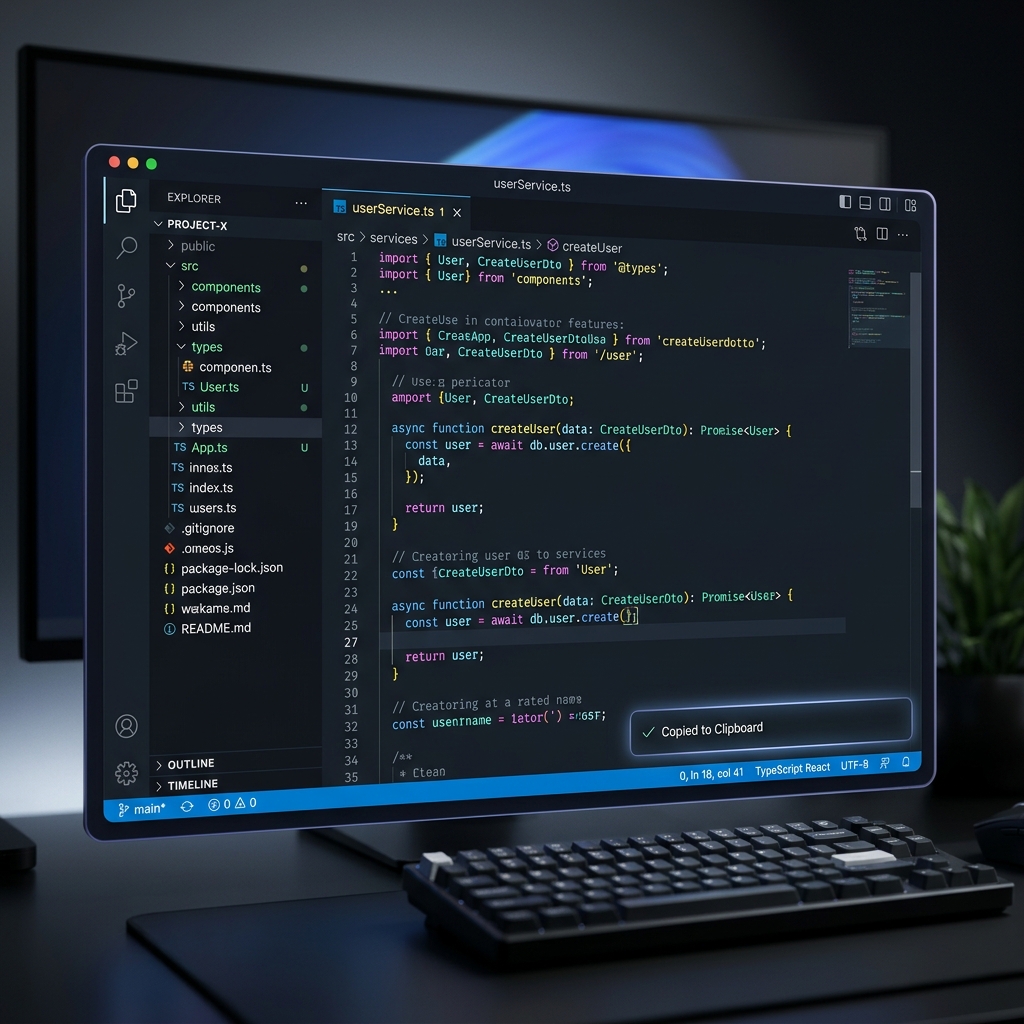
Enhance your default behavior with intelligent feedback and lightning-fast snippets handling. Zero configuration, maximum productivity.
Everything you need,
nothing you don't.
Designed to be lightweight, silent, and incredibly effective.
Instant Notifications
Clear "Copied" and "Cut" snackbars confirm actions instantly, so you never have to double-check.
Fast & Lightweight
No performance overhead. Runs silently in the background with minimal activation impact.
Seamless Integration
Works directly inside your editor. Automatically detects events with zero-command setup.
Workflow Confidence
Reduces uncertainty when moving large blocks of code. Perfect for debugging and refactoring.
Non-Intrusive
No UI clutter, no extra panels. Only shows feedback when you actually need it.
Zero Configuration
Install and start using. No settings to tweak (unless you want to).
Ready to upgrade your workflow?
Join the future of intuitive code editing today.
Install Clipboard Pro